Free TikTok Scheduler for Videos and Photo Posts
Schedule TikTok videos and photo posts: choose who can view, set a time, and Pubblica publishes with your other networks. Free plan; Pro $20/mo.
Yes, you can schedule TikTok posts: TikTok on desktop web schedules a video from 15 minutes to 10 days ahead, and Pubblica schedules TikTok videos and photo posts from your browser along with your other networks. Upload a video once, pick your TikTok account and any of 8 other networks, set a time, and it publishes on its own.
How to schedule TikTok videos on TikTok desktop web
You schedule a TikTok video on a computer while you upload it, following the official TikTok Help steps:
- Log in to TikTok on a computer and click Upload.
- Upload the video you want to schedule.
- Turn on Schedule and pick the date and time. The time zone follows your computer's setting.
- Click Schedule.
You can schedule a video from 15 minutes to 10 days ahead. Scheduled videos appear in your profile, where you can delete them but not edit them. TikTok's Help Center notes that scheduling isn't available on TikTok mobile web.
How to schedule TikTok posts with Pubblica
A TikTok scheduler publishes a video or a photo post to your account at a time you set in advance. Pubblica posts it to your TikTok profile at that time with the settings you picked. Scheduling takes three steps, all in your browser:
- Connect your TikTok account. Sign in through TikTok's own login. Pubblica publishes through TikTok's official Content Posting API and never sees or stores your password.
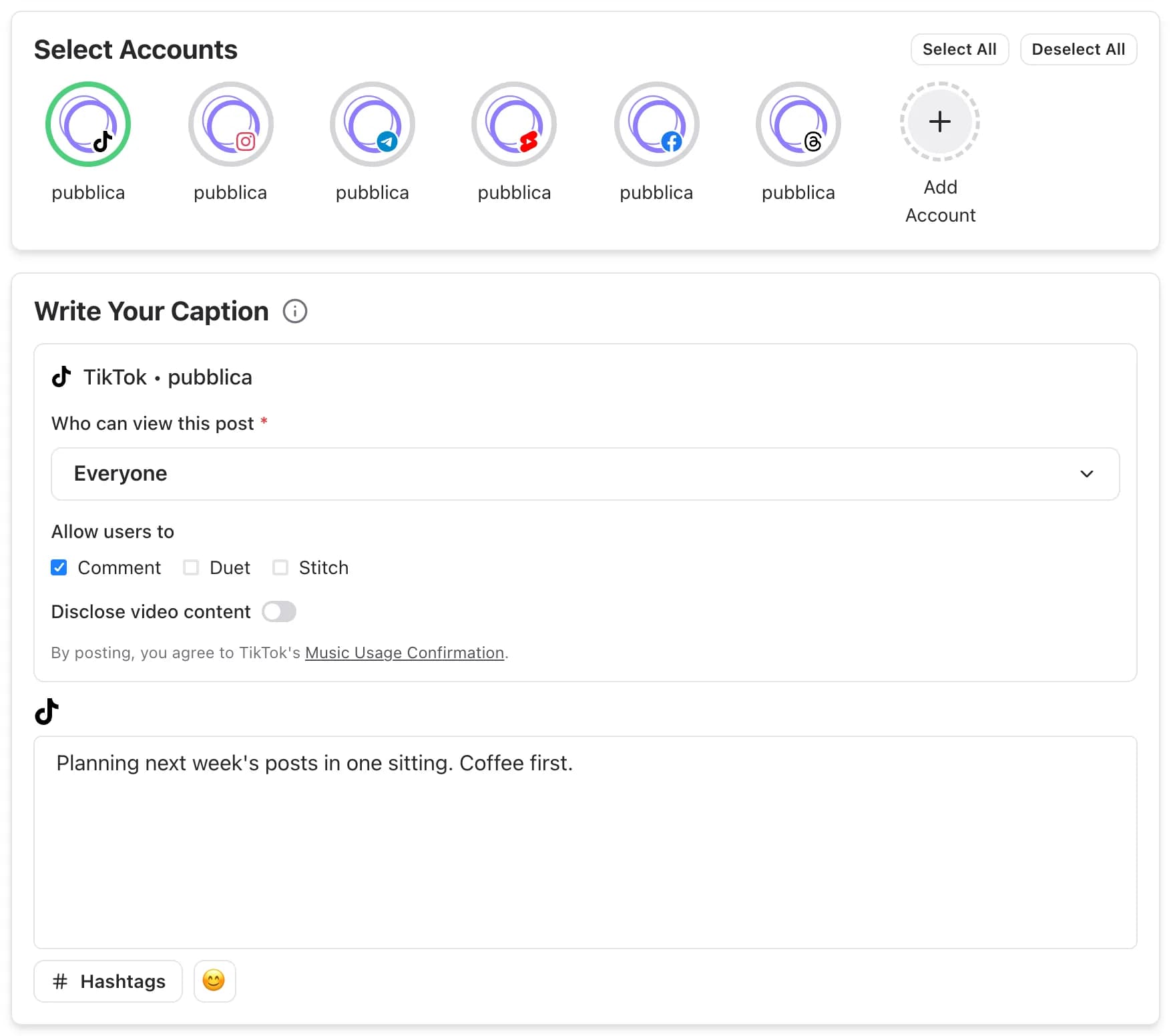
- Add the video and the settings. Upload a video or several photos, write the caption, and select TikTok and any other accounts. Choose who can view the post and whether people can comment, Duet or Stitch: TikTok asks for this before every post. Pubblica checks the file against TikTok limits as soon as you add it. For photo limits, see TikTok image sizes.
- Set the date and time. Pubblica publishes the post to TikTok at that time. The scheduler shows your time zone, and you can pick any date in the future. To choose the hour, see the best time to post on TikTok.
What you can post to TikTok with Pubblica
Pubblica publishes TikTok videos and photo posts:
- Videos. One video per post, published to your profile with your caption. Check text against the TikTok safe zone before you schedule it.
- Photo posts. Several photos in one post, with a title and a description. Add recommended music if you want TikTok to pick a track.
- Privacy and interactions for each post. Pick who can view the post from the options TikTok gives your account, and turn Comment, Duet and Stitch on or off.
- Branded content disclosure. Mark a post as promoting your own brand or as branded content, as TikTok requires.
- A caption for TikTok only. Use the same caption as on your other networks or write a separate one for TikTok.
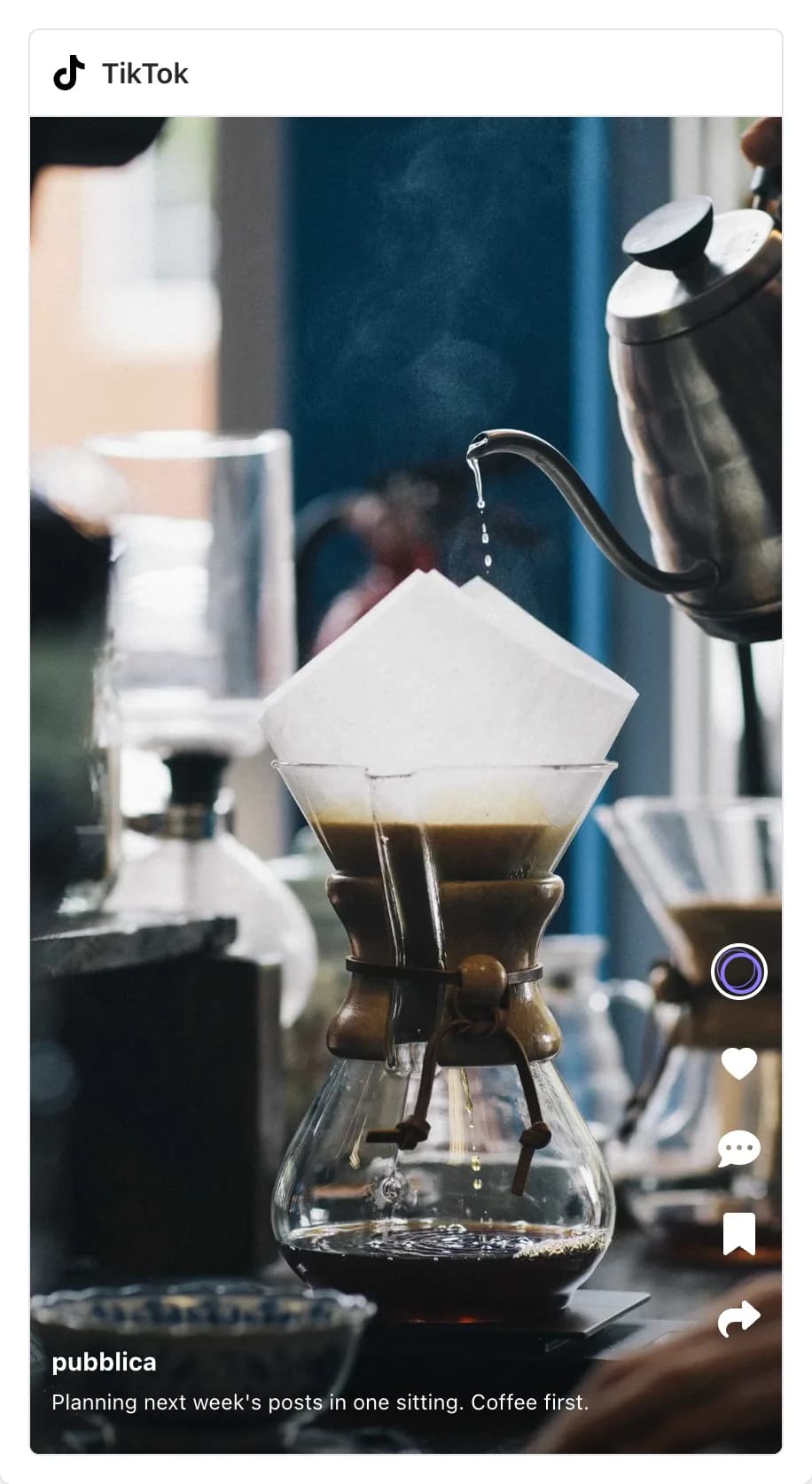
Before the post goes out, the preview shows how the video will look on TikTok.
TikTok and your other networks
If you also post short vertical videos to Instagram, YouTube or Facebook, one post in Pubblica sends the same clip to all of them: upload it once, keep one caption or write one per network, and set a single time. The video goes out as a TikTok video, a Reel on Instagram and Facebook, and a Short on YouTube. Afterwards, compare the clip on each network with the TikTok engagement rate calculator.
The same composer covers the rest of your networks. Post the clip as a Reel with the Instagram scheduler, or as a Short with the YouTube scheduler.
When to use TikTok's scheduler and when to use Pubblica
TikTok's own scheduler is free and works on desktop web, from 15 minutes to 10 days ahead. A scheduler fits when TikTok is one of several networks or you plan further ahead:
- you post the same vertical video as a TikTok, a Reel and a Short;
- you plan more than 10 days out;
- you want to change a scheduled post's caption or time before it goes out;
- you want every scheduled post, on every network, on one calendar;
- you manage TikTok accounts for clients and group them by client in workspaces.
Who Pubblica's TikTok scheduler is for
- Creators who cut each video for TikTok, Reels and Shorts and want them out at the same hour.
- Small businesses and brands that plan a week of TikTok videos in one sitting and mark branded posts the way TikTok requires.
- Freelancers and social media managers who run TikTok accounts for several clients: connect as many as you need on both plans.
The Free plan includes TikTok and 20 posts a month on every network except X, with unlimited accounts and no card. Pro is $20 a month for unlimited posts on all 9 networks and AI hashtags, with a 7-day free trial. See both plans of our free social media scheduler.