Manage Multiple Social Media Accounts in One App
Manage multiple social media accounts in one place: unlimited accounts on 9 networks, workspaces per brand or client. Start free; Pro is $20/mo flat.
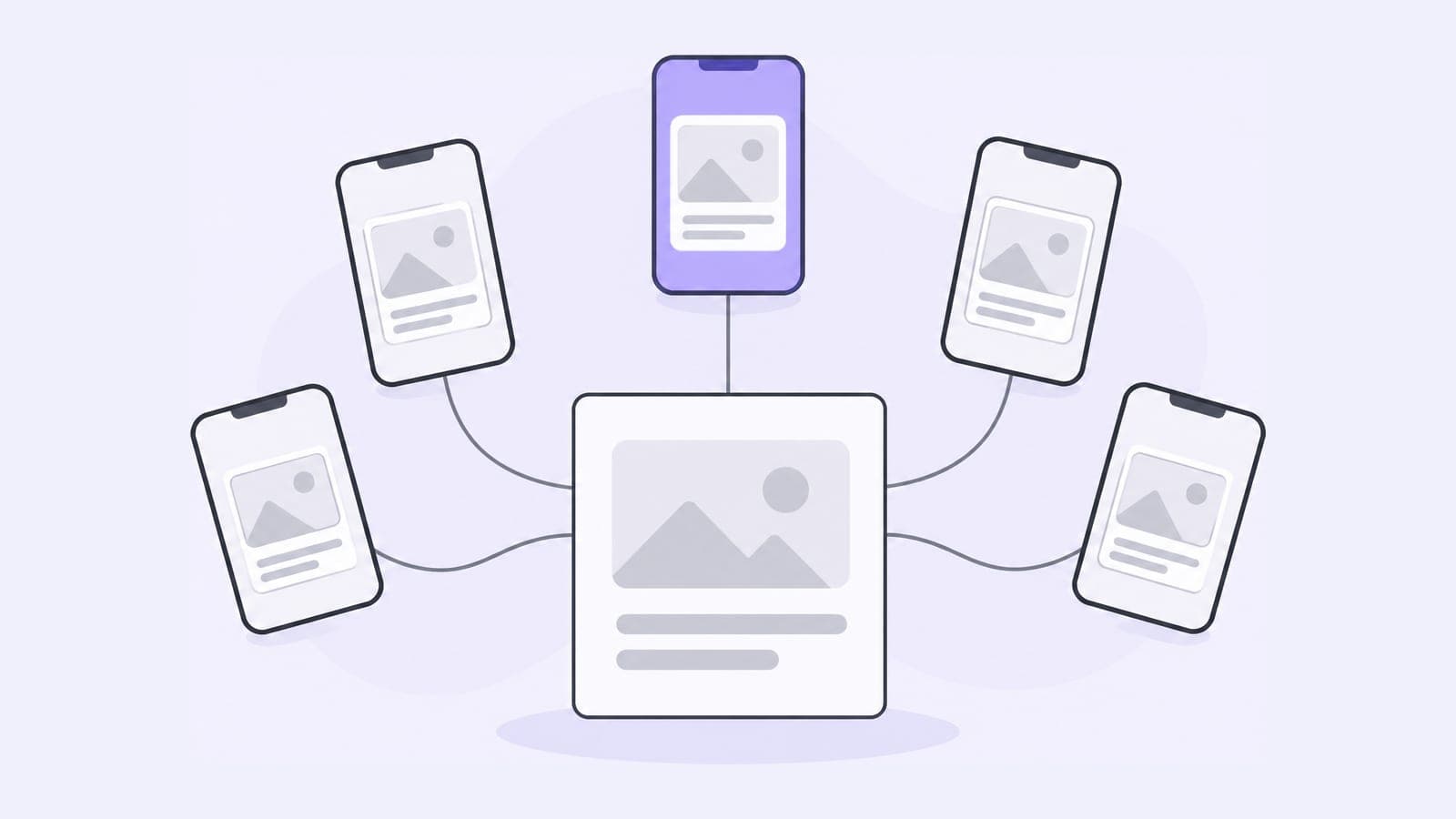
Managing multiple social media accounts means running several profiles, across networks, brands or clients, from one place instead of logging in and out of each app. Pubblica connects as many accounts as you need on both plans, including several on the same network, groups them in workspaces and publishes one post to every account you pick on 9 networks.
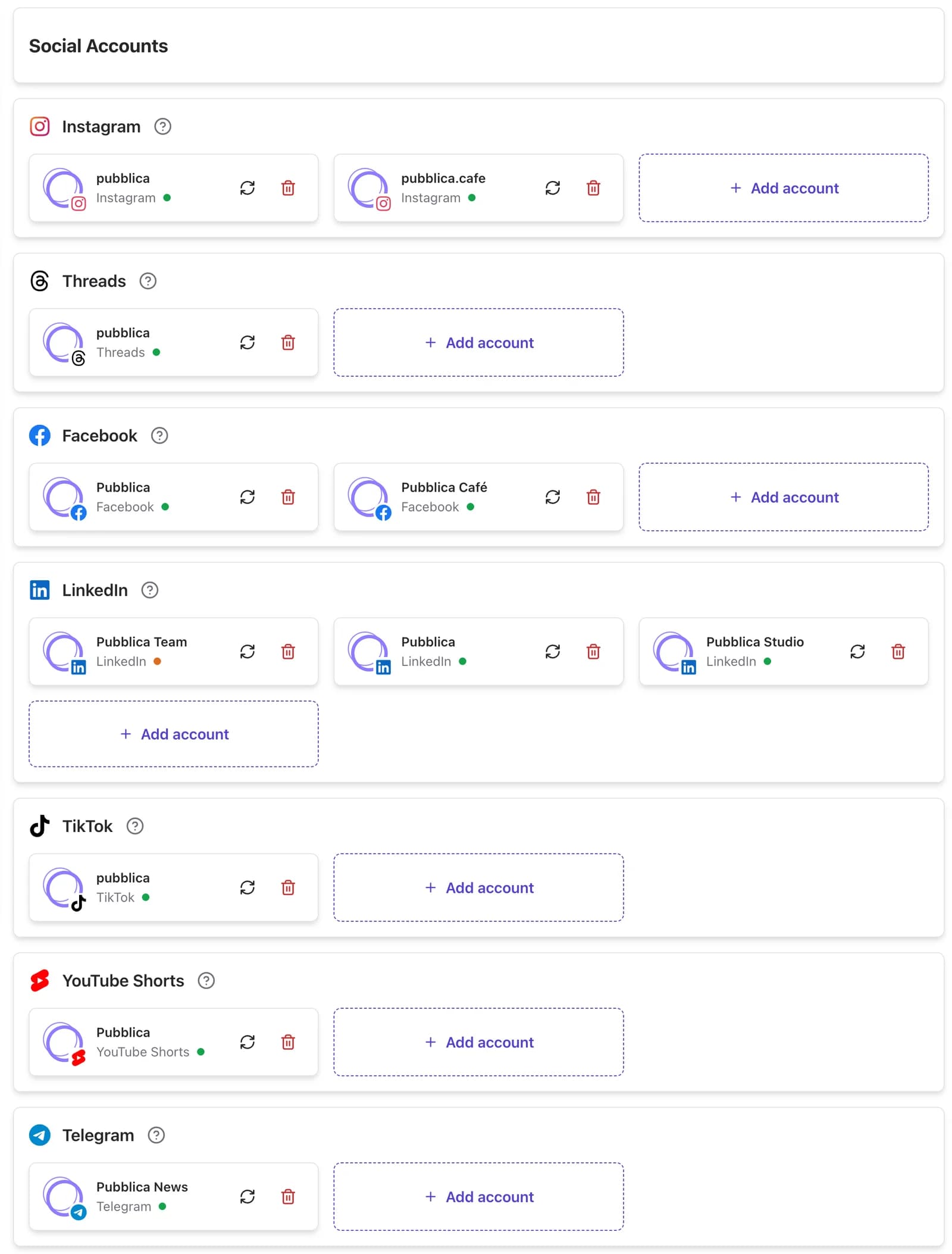
How to manage multiple social media accounts in Pubblica
- Connect every account. Sign in through each network's own login. One Facebook login connects the Pages you pick, LinkedIn connects your profile and the Pages you administer, and a Telegram channel connects when you add Pubblica Bot as its admin. Pubblica never sees your passwords. It connects through the official APIs of Meta, TikTok, LinkedIn, Pinterest, Google and X, and the Telegram Bot API.
- Group them in workspaces. Create a workspace for each brand, client or project and add its accounts.
- Write one post for several accounts. Pick the accounts, two of the same network included, and keep one caption or write one per network. More on how to post to multiple platforms at once.
- Set a date and time. Pubblica publishes to every selected account at that time.
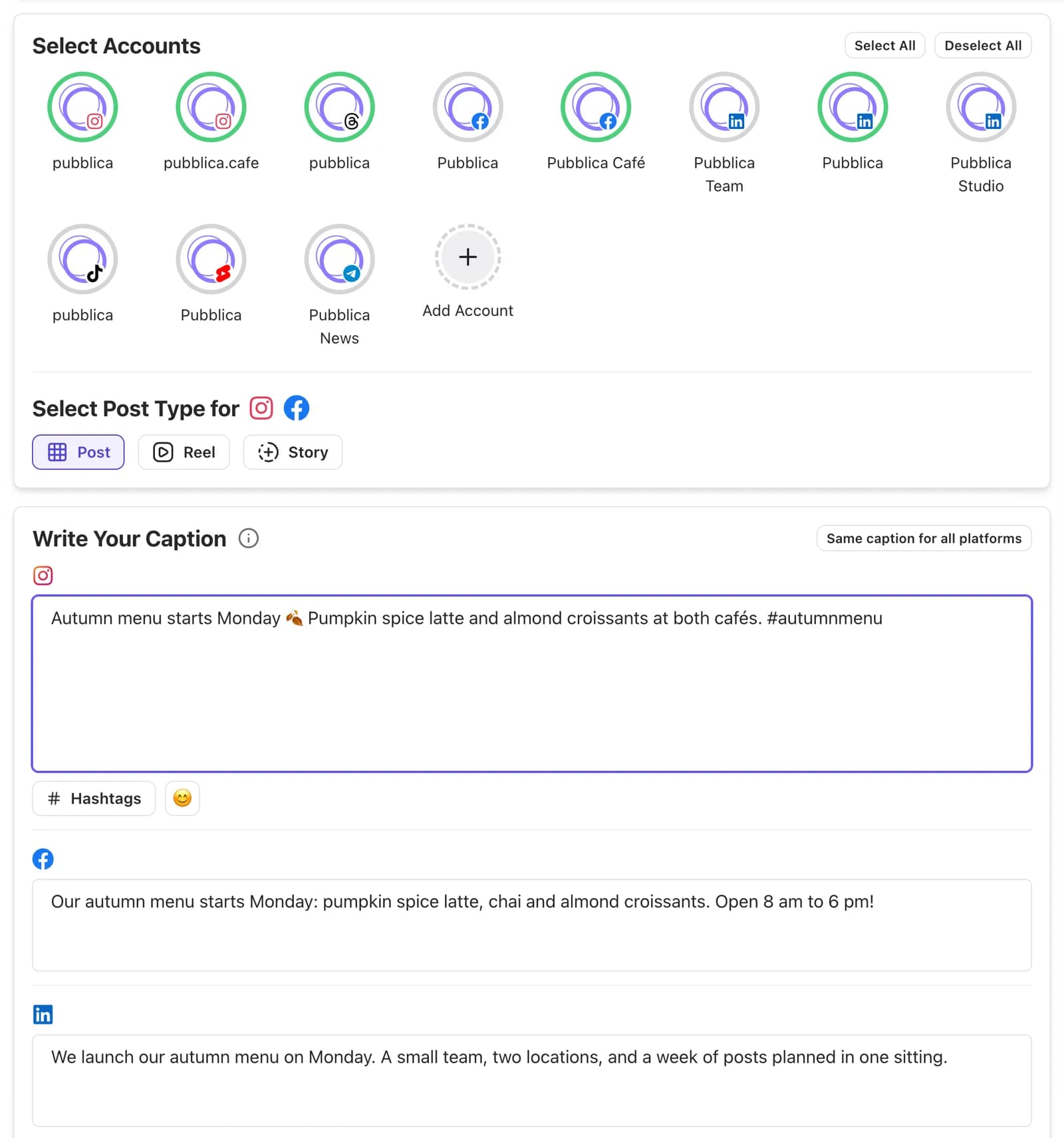
What Pubblica does with multiple accounts
Unlimited accounts on both plans
Connect as many accounts as you need on Free and Pro, with no fee per account or channel. The Free plan limits posts, not accounts, and a post counts once, however many accounts it goes to.
Several accounts on the same network
Select two Instagram accounts, three Facebook Pages or a LinkedIn profile and its Pages in one post, along with your other networks. What each network supports is on its own page: Instagram scheduler, Facebook scheduler, LinkedIn scheduler, Telegram scheduler.
Workspaces for brands and clients
A workspace holds the accounts of one brand, client or project. Switch workspaces in the sidebar, and the composer lists only that workspace's accounts, so a post for one client goes to that client's accounts. One account can sit in several workspaces, for example a personal LinkedIn profile you use for two projects.
One caption or one per network
Keep the same text everywhere, or write a separate caption for each network: longer for LinkedIn, shorter for X. Accounts of the same network get that network's caption, and a preview shows how the post looks on each network. Pubblica checks your files against each network's limits when you add them.
A calendar for each workspace
The calendar shows the scheduled posts of the workspace you're in, with their networks and time. Move a post to another day or edit it before it goes out.
Connection status for every account
The accounts page shows whether each connection is active, expires soon or has expired. Refresh or reconnect an account from the same page before its next post is due.
Tips for managing multiple social media accounts
- Give each account a job. Decide who each account is for and what it posts, so you know where a post goes before you write it.
- Use one workspace per brand or client. With only one client's accounts on screen, a post goes to the right place.
- Plan in batches. Write a week of posts in one sitting and schedule them instead of opening each app every day.
- Change the caption, keep the media. Reuse the same photos or video and adjust the text for each network.
- Post different content to each X account. X's rules prohibit posting identical or substantially similar content across several accounts, except translations into another language.
- Know each network's limits. Instagram lets you stay logged in to up to 10 accounts at once, and LinkedIn allows one personal profile per person, with Pages separate from profiles.
- Check connections before a launch. Reconnect any account marked as expiring before the day its posts go out.
How other tools price multiple accounts
Schedulers price accounts in different ways. Buffer bills per channel, with a free plan for 3 channels: 10 channels on Buffer Essentials cost $60 a month. Publer bills per account, from $5 per account/mo. Hootsuite bills per user, and its accounts are capped per plan (10 on Standard). Pubblica Pro is $20 a month flat for unlimited accounts.
| Pubblica | Buffer | Publer | Hootsuite | |
|---|---|---|---|---|
| Pricing model | Flat price | Per channel | Per social account | Per user |
| Paid plans from | $20/mo | $6 per channel/mo | $5 per account/mo | $99 per user/mo, billed yearly |
| Free plan | 20 posts/mo, no X | 3 channels | 3 accounts, no X | No |
| Free trial | 7 days, card required | 14 days | 7 days | 14 days, no card |
| Social accounts | Unlimited | Billed per channel | Billed per account | 10 on Standard |
| Networks | 9 | 12 | 13 | 9 |
| Telegram | Yes | No | Yes | No |
To compare prices, free plans and trials across more tools, see our list of the best social media schedulers.
Who manages multiple accounts with Pubblica
- Freelancers and social media managers who run accounts for several clients: a workspace and a calendar for each.
- Businesses with several brands or locations that plan every page and profile from one place. More on social media management for small business.
- Creators with a main account and a second one for a side project, a niche or another language.
The Free plan includes 20 posts a month on every network except X, with unlimited accounts and no card. Pro is $20 a month for unlimited posts on all 9 networks and AI hashtags, with a 7-day free trial. See both plans of our free social media scheduler.